
Adding Wireless CarPlay to my Polestar 2

In my article about Ioniq EV Advantages over a Polestar 2, I noted that my Ioniq had wireless CarPlay, but my Polestar 2 has wired CarPlay. For the most part, that has been fine with me as I like to have my phone charging for longer trips, especially if I’m using maps.
But for shorter trips around town, it can be inconvenient to have to plug in my iPhone in order to listen to music. And more than once, I’ve left my phone in the car because I was in a hurry.
I had heard about people purchasing gadgets that can convert a wired CarPlay system to be wireless, but they all had an annoying restriction: CarPlay maps would not show in the driver console. Since that is one of my favorite Polestar 2 features, this was a non-starter for me.
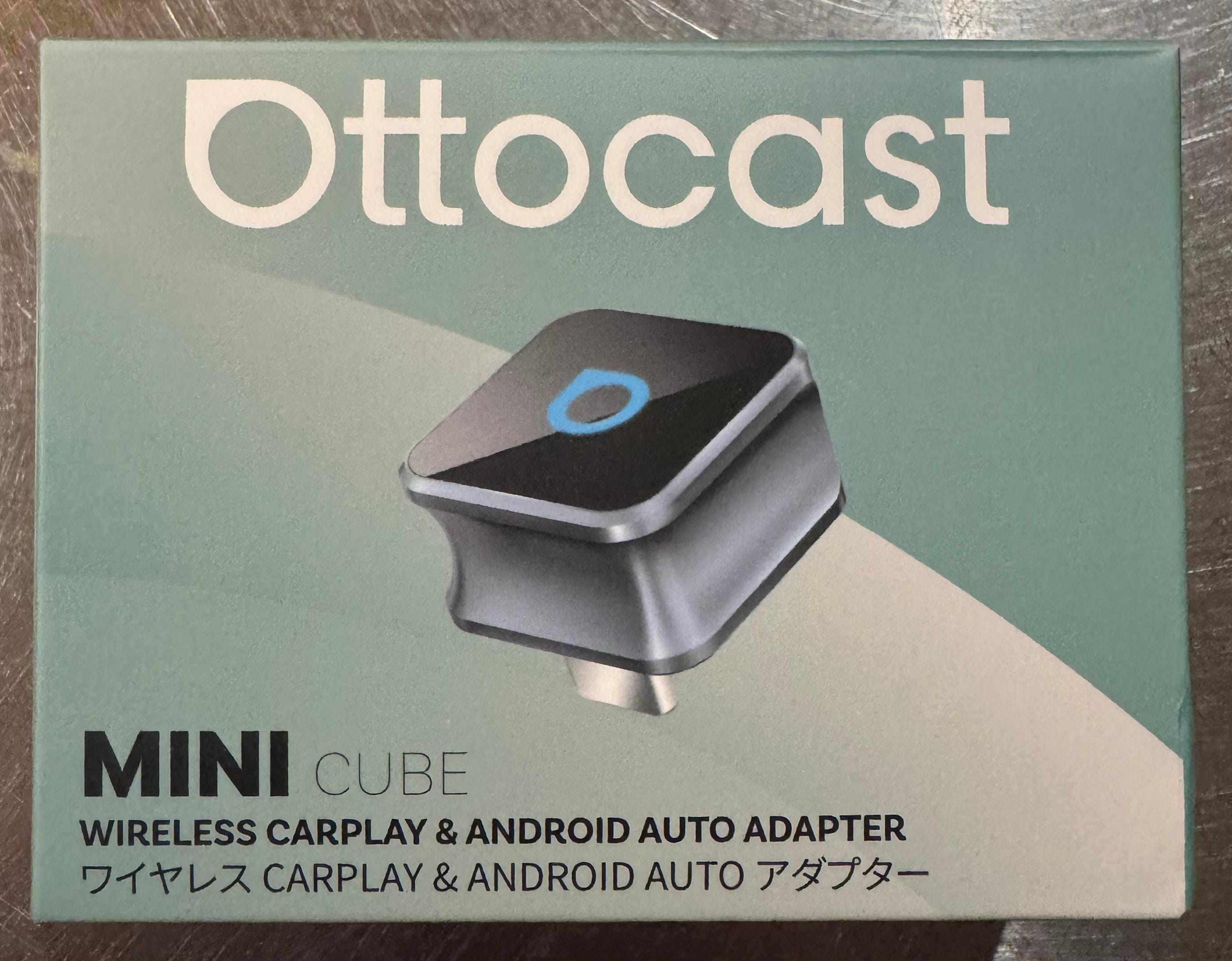
But then I found out about a new gadget that could display the CarPlay maps in the driver display: the Ottocast Mini Cube 3.0, which was on sale for Black Friday at just $40.
If you order one, be sure to select USB-C for the connector!
Unlike some larger ones I’ve seen, this one is small and uses USB-C, so no bulky adapters would be needed. It could just plug into the CarPlay port and be mostly invisible.
I decided to take a gamble and ordered it on November 24th. I went with silver, but there is also an orange color that might looks cool in a Polestar 2 with the orange seatbelts! It arrived (from China) on December 6th.
Of course this little gadget is not specific to the Polestar 2 in any way and could be useful for anyone that has CarPlay and would like a wireless version. Just be sure to order it with the proper connector style for you vehicle.
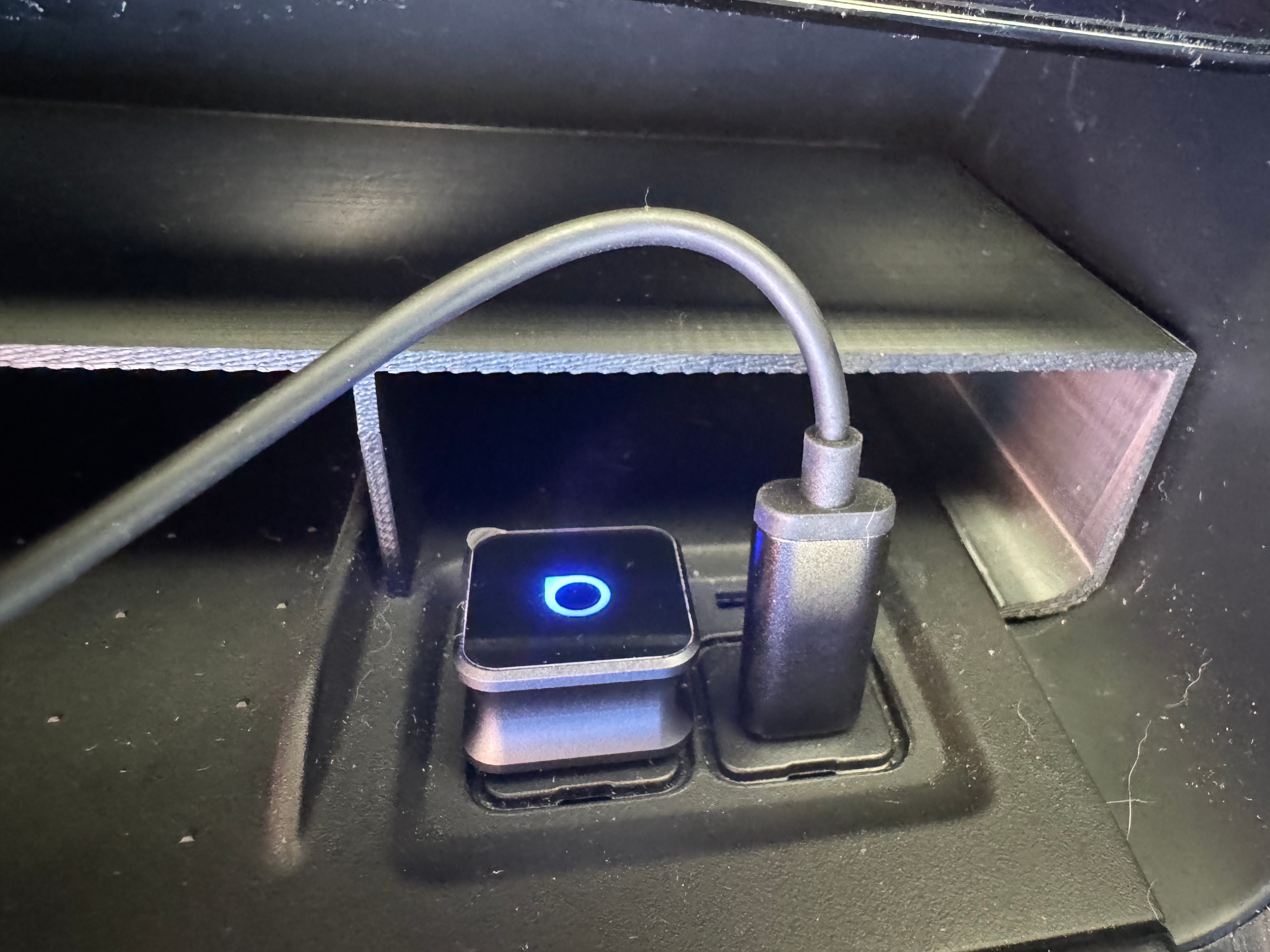
First, this thing is tiny, which was nice to see. When plugged in it really is unobtrusive.
To install it, I first needed to remove the rubber covers to the USB-C ports, which are a single rubber piece. This is easily done by just pulling on it slowly which allows it to slide out easily. I’m not sure how easy it will be to get it back in, though.
I then plugged the Ottocast into the leftmost USB-C plug and its LED powered on. On my iPhone, I had to go to Bluetooth settings and connect to the Ottocast device, which in my case was called CAR2-5898.
This then display a “connect to CarPlay” dialog on the phone, which I accepted.
A “connect to CarPlay” message also appeared on the Polestar 2 infotainment screen and I accepted that as well.
Then nothing happened. The infotainment screen still said “connect your phone”. I had to reboot the infotainment two times before it started working. After each reboot it asked to connect to CarPlay and I accepted. After the 2nd reboot, it showed up as connected. I’m not sure why that was necessary, but I’m glad it worked!
With it connected, everything basically works the same as when the phone is connected to CarPlay with a wire. There are two differences that I’ve noticed so far.
First, it that the initial connection after I sit in the car briefly displays a connection screen on the infotainment that seems to be telling me to click something on the phone. But this message goes away after about a second and everything is connected. I’ve not need to touch anything on my phone.
Second is that there is a slight but noticeable delay when tapping on CarPlay controls. For example, after tapping to pause music it takes maybe a 1/2 second before the music pauses. When wired, it happens instantly.
Update (Dec 10, 2025): There is also a third difference. From what I can tell, the ETA indicator does not appear within the map in the console. I do see turn-by-turn directions, however.
Other than that, everything seems to be the same. The sound quality is the same as when wired as far as I can tell. And the maps are definitely showing on the driver console like I want.
I did have to set up my CarPlay widgets again since the car considers this to be a new CarPlay device.
Of course I still need to keep my iPhone charged on longer trips. Ideally the built-in wireless charging pad in the Polestar 2 could be used for this, but it doesn’t work with the case I have on my iPhone 15 Pro. My phone won’t charge when on the pad, but it does heat up a lot so I’ve disabled the wireless charging in settings.
I could have just stuck with the USB-C cable I had been using, but I decided to change things up by getting a MagSafe puck and plugging that into the rightmost USB-C port.
It’s much easier to attach the puck than plug in the small USB-C cable and eventually I’ll attach the puck to the wireless pad area so I can just slide my phone in there and have it charge while being safely tucked away.
I’ve only taken a couple drives with this new wireless CarPlay setup, but so far it’s been working well. When I sit in the driver’s seat, the car powers on and everything connects smoothly.
For $40 this looks to be a great improvement!
With the Ottocast, can you have maps in 3d view on both the infotainment and driver displays?